How to update your restaurant's Google Business Profile
Wrong hours on Google send people to a locked door. A short check for hours, the menu, and the category.
People decide from the card before they see the sign
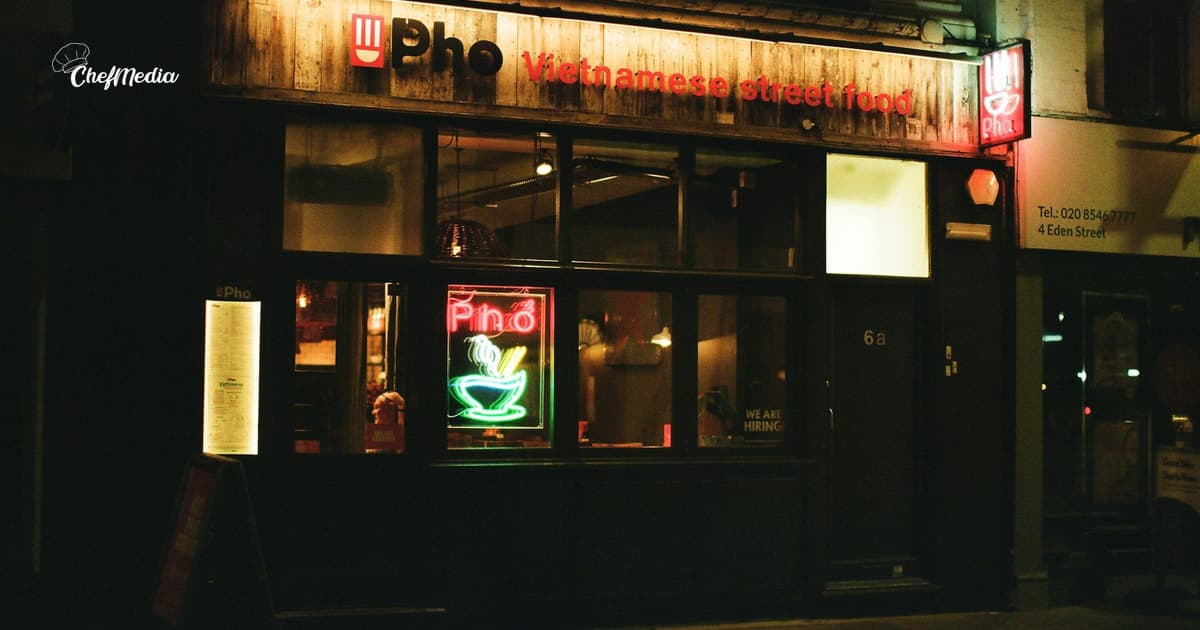
A neighbor searches for dinner, or for your name. Before they reach the door, Google shows a card: open or closed, a category, sometimes a menu, and the reviews. If that card says you are closed, many of them never walk over to check the sign.
You already know the review half. How to ask and how to reply cover that. This tip is the rest of the card. Hours, the name, the category, a short description, and the menu. If those are wrong, a good review is sitting on a listing people hesitate to trust.
Use the name that is on the sign
Google's guidelines say the business name should be the name on your storefront, your website, and the way regulars already say it.
Leave these out of the name field:
- A tagline, like "best pasta in town."
- Hours, like "open late."
- The neighborhood or a highway exit, unless those words are actually on the sign.
- A phone number or a web address.
Google says extra words in the name are not allowed, and they can get the profile suspended. Put the useful details in the fields built for them.
Use the phone number the host stand answers. Google's guidelines say to use a local number you control, not a central call-center line, and not a number that redirects somewhere else. The website should be yours, not a social page standing in for one. One profile per location. A second profile for the same door makes the hours harder to keep straight.
Set hours to when someone can sit down
Google's guidelines for restaurants are specific. Main hours should be when a guest can sit down and eat. If you do not offer that, use takeout hours. Drive-through comes next. Delivery hours are the last resort, not the default.
That order matters on a Tuesday at noon. If the dining room opens at 5 and the window opens at 11, do not list 11 as the time the room is open. People filter for places that are open now. They will arrive, find the chairs up, and remember the miss.
If lunch and dinner have a gap, enter both sets of hours. One block from 11 to 9 makes you look open at 3, when the kitchen is dark.
If takeout or delivery runs on a different clock, add those under more hours. Do not stretch the dining-room hours to cover the window.
Change one day without rewriting the week
A holiday, a private buyout, a Monday you close for a wedding: set special hours. Your regular hours stay as they are, and that one date shows the exception.
Google's help says special hours cover a short change, including a closure, for up to six days in a row. If you will be closed for seven days or more, mark the profile temporarily closed instead of stacking a long list of special hours.
In the Business Profile, open Edit profile, then Hours, then Special hours. Pick the date. If you are closed, leave it closed. If you are open on a shorter clock, enter those hours. Special hours show up when the profile is set to open with main hours. A profile with no hours at all will not display the exception you just typed.
Do this before the day, not after someone writes that you were shut. The social post is a different job. Holiday posts that do not feel last-minute is how you tell followers. The listing is what Maps reads when they are already in the car.
Pick a category for what you are
The primary category should finish the sentence "this business is a..." Restaurant, Italian restaurant, pizza restaurant, cafe. Google's guidelines say to choose the most specific category that is still true, and to use as few as you need.
You can add more categories, up to nine. Add one only if you would say it at the door. A restaurant that really does catering can add that. Do not add a category for every dish, and do not add one as a keyword you hope to rank for. A burger place that sells pie is not a dessert restaurant.
Skip a category for a separate business inside your building that you do not run. Their profile is theirs.
Write a description a neighbor can use
The description shows in the "From the business" section. Google allows up to 750 characters. Use them for what you serve, what the room is like, and anything a first-time guest needs that the hours do not already say.
Google's rules for that box are plain:
- No links, of any kind.
- Do not center it on a promotion, a price, or a sale. Lines like "everything half off" are the kind they call out.
- Write the way you talk at the door. Gimmicky spelling does not help.
Google may offer to draft the description for you. Read it before you save it. If it invents a patio, a brunch, or a dish you dropped in March, fix that sentence. A made-up detail on the listing is worse than a short one.
A description that can stay up:
Neighborhood restaurant on Main Street, dinner Tuesday through Saturday. The menu changes with the market, and the back room holds twelve. Walk in, or call the number on this page.
That is enough. It does not try to be an ad.
Put the real menu on the card
Food and drink places can add a menu in the menu editor: sections, dishes, a short description, and the price. Google says those edits can take 24 to 48 hours to show on Maps and Search.
The menu should be what you actually serve. Google's guidelines say not to submit a list of "popular items" and call it the menu. If the roast chicken is off until Thursday, it should not be the first line a stranger reads on Monday.
Google sometimes pulls a menu from your website, and it may find more than one source. When it does, pick the source that matches the pass. Update the website if that is the menu guests will trust. Two menus that disagree both get quoted at the host stand.
Take a sold-out dish off. Guests screenshot these. A clear food photo still helps the card look alive. How to shoot one on a phone is the habit.
Ten minutes, once a week
You can finish this with a coffee, before the book gets busy.
- Open the profile and read the hours against the sign and the website. If they differ, fix the one that is wrong.
- Look at the next two weeks. Set special hours for any day the room will not match the usual clock.
- Skim the menu. Remove what you no longer cook. Add what is on the pass.
- Read the description once. Cut any sentence that is not true this month.
- Call the number on the listing from your cell. It should reach the host stand.
Then stop. You do not need a new category every week, and you do not need to stuff the city into the name.
If Instagram says you are open Sunday and the listing says closed, fix one of them before you post. The person who drives over will believe the locked door. When to post still matters. It does not override the hours on the card.
The card should match the door
You are making the first thing a neighbor sees as true as the sign in the window.
Name on the sign. Hours when a guest can sit down. A category that says what you are. A menu you would hand someone tonight.
If the social posts are what keep slipping, ChefMedia can draft those from your restaurant's website so this Google check stays a short habit. You still set the hours. A draft cannot know you closed Monday for a wedding.