How to post takeout and pickup for your restaurant
Name the dish that travels, the pickup door, and how to order. A clear takeout post keeps neighbors from the wrong entrance.
The bag is ready and nobody knows which door
It is 4:15. Three orders are bagged. A couple is at the window. The side door is the one you actually use for pickup, and the phone has not rung. Instagram still shows last night's pasta, as if everyone is coming in to sit.
A takeout post is the note you would tape on that door. What travels, where to get it, and how to put the order in. A dinner photo with "also available for takeout" at the end does not do that job.
A lot of restaurant traffic never sits down. The National Restaurant Association's Off-Premises Restaurant Trends 2025 (opens in a new tab) write-up, published May 8, 2025, says nearly 75% of restaurant traffic is off-premises. Those guests still need a sentence they can follow from the sidewalk.
Say the dish, the door, and the way to order
Look at the ticket rail and the door you hand bags through. Write one line for each thing a person needs before they leave the house.
- The dish that still tastes right after a short ride, in the name you use at the counter. If the fries go limp in the box, do not make them the reason to come.
- Where they pick it up. "Side door on Oak" beats "available for takeout." If they have to ask which door, the post is not finished.
- How to order. One path: call, the link you already use, or walk up and give a name.
- When it is ready, and when you stop. "Ready from 4, last order at 8" is a window. "Dinner" is not.
A caption that can go out as written:
Chicken parm travels tonight, $22, ready from 4. Pickup at the side door on Oak. Order on the site or call, and give your name at the counter.
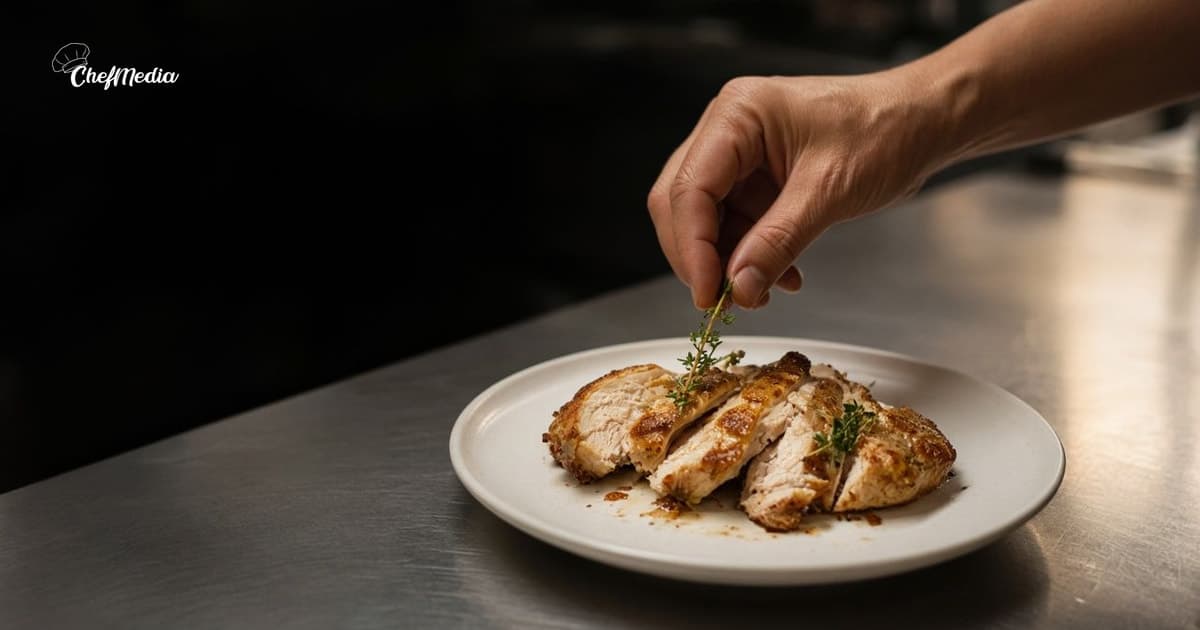
That is the whole post. The photo is the container or the bag on the counter, in the light you actually have. How to shoot it on a phone is the habit. An open container you would hand someone beats a dark shot of a closed lid.
If you name a price, use the number on the check. How to show menu prices before guests arrive is the longer version. The Association's same note says off-premises guests want the food packaged so it holds its temperature and does not spill on the way home. Pack it that way before the caption promises it. A pretty photo of a sauce that leaks in the car becomes a complaint at the door.
The words should sound like the counter, not a delivery app. How a caption sounds like the door is the same habit. For this post, the door and the clock are the facts you cannot skip.
Party trays and the back room are a different job. How to promote private dining and catering covers that. A Tuesday pickup does not belong inside a wedding menu.
Post it while they can still skip cooking
The useful window is mid-afternoon, before someone has started dinner at home. When to post is the longer clock. For pickup, add one rule: the dish you named has to still be available when they arrive.
If takeout hours are not the dining-room hours, the listing has to match the caption. How to update your Google Business Profile is where those hours live. A post that says pickup until 9, on a card that says you close at 8, sends a neighbor to a locked door.
Send the same note where your regulars already look. If that is Instagram and Facebook, one post on each is enough.
When the special sells out, say so:
The chicken parm for pickup is gone. The meatballs are still on until 8. Same door.
A Story is enough for that update. People screenshot the first post. If the dish is gone, the caption they saved should not still be selling it.
Do it before the first bag goes out
You can finish this at the counter.
- Pick the one dish you would hand a friend for the ride home. Write tonight's price if you are naming one.
- Write the door, the ready time, the last order, and the one way to order. Read it out loud. If you have to explain it, cut a sentence.
- Take five frames of the container or the bag in real light. Choose the one where the food is visible and the counter looks like yours.
- Tell whoever hands out bags what you promised: the door, the price, and the cutoff.
- Post it. Your town and the word pickup do more than a pile of food tags.
If a cook knows the soup will not survive the lid, trust that before you hit post.
What to leave out
A takeout post fails in a few familiar ways:
- A plated dining-room shot with no word about pickup. They will try to book a table for a bag.
- "Order online" with no link and no phone. They should not have to hunt the profile.
- Three specials, two apps, and a paragraph about the farm. They needed one dish and one door.
- A delivery-app price in a post that means the counter, or the other way around. Say which one you mean.
- A promise the counter has not heard. If the caption says ready in 15 minutes, the person at the door should agree.
- A photo of someone else's branded bag. Use your container, your counter, your food.
If you are not doing pickup tonight, do not post as if you are. The neighbor who drives over will trust the next note less.
Open seats are a different post. A same-day note for empty tables is how you fill the dining room. This one is for the bag.
When the rail is full, stop selling bags you cannot cook
Check the rail an hour after you post. If you are behind, say the new time or stop the special. "Pickup is running 25 minutes" is kinder than a silent delay. People who planned dinner around the caption will remember the wait.
If the window closes and bags are still sitting, call the names you have. A second feed post will not carry a cold container to the car.
Keep a short note of what left the building. "Thursday chicken parm, posted at 3:50, twelve bags" is a better lesson than a theory about reach. Next week, start with the dish that already traveled.
One clear pickup note
You are telling a neighbor what to order, which door to use, and when the bag will be ready.
Name the dish that travels. Name the door. Say how to order. Post it before they cook at home.
If the blank caption is what stalls you, ChefMedia can draft the words from your restaurant's website so the dish and the way to order start in your words. You still name the door. A draft does not know the side entrance is on Oak.